Coming soon · Launch window Q1 2027; exact date not announced
UpdatedKitman Customization: Build Your Club and Upgrade Gear
Explore Kitman customization, from club colors and numbered jerseys to better gear and backroom upgrades. Get your team ready for the next match on Steam.
Jump to
What You Can Customize in Kitman
Your club needs an identity, but your players also need shirts that survive the match. Kitman customization lets you shape the team while handling equipment choices that affect player ratings. Understanding Kitman customization helps you spend your match earnings on the gear and facilities that keep the squad ready to play.
Kitman puts you in the backrooms of a soccer stadium, where preparing uniforms, repairing equipment, and responding to player requests all feed into the action on the field. You can play solo or share the workload with up to three friends in online co-op.
The Windows demo launched on October 8, 2026, and includes the story introduction and the opening matches of a league season. The full game is scheduled for Q1 2027.
Customization covers several parts of club life, with a distinction between the demo’s playable systems and the broader game’s personalization features.
| Customization Area | What You Can Do | Scope |
|---|---|---|
| Club identity | Choose your team name and colors | Demo |
| Team equipment | Outfit players and apply shirt numbers | Demo |
| Backroom facilities | Unlock equipment, including washing machines and vending machines | Demo |
| Team setup | Adjust tactics and formation through access to the manager’s office | Demo |
| Kitman and decorations | Personalize your Kitman and display mementos of club success | Full-game features |
The demo takes place in a single environment, so your early decisions revolve around outfitting the squad and improving the workspace. That gives you a practical introduction to how a personalized club operates when requests start arriving during a match.
Create Your Team Identity and Number Your Jerseys
Team creation gives your club a name and colors before you settle into the kit room. Those choices establish the identity you’ll carry into competition, while preparing individual uniforms becomes part of your regular workload.
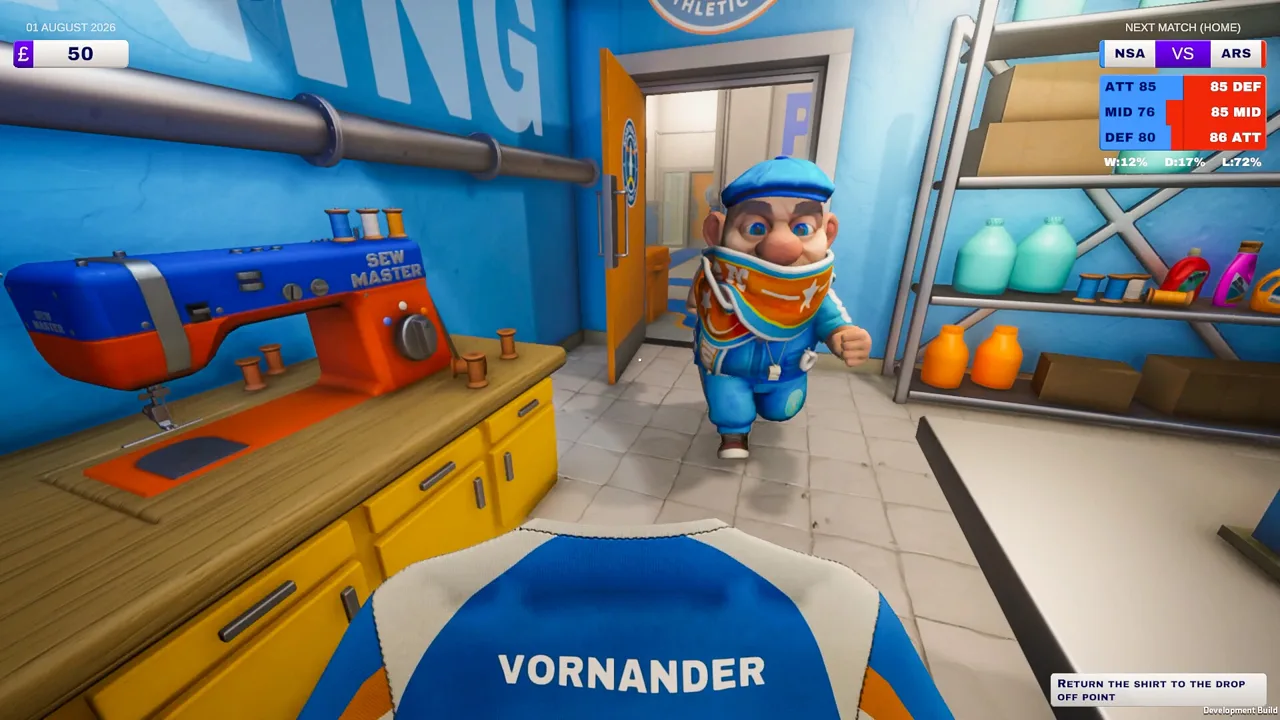 Image: Steam / Outlier
Choose a name you want to keep seeing throughout the season, then select your club colors. Once the team is created, turn your attention to the players’ equipment. A club identity gets you started; properly assigned clothing gets the squad onto the field.
Kitman customization becomes hands-on at the heat press. The demo tutorial walks you through preparing a blank shirt, adding a player’s number, and returning the finished item to the appropriate locker.
| Step | Shirt Preparation Task |
|---|---|
| Prepare the item | Place a blank shirt on the heat press in the kit room |
| Select the number | Put the required number on the press |
| Apply it | Activate the press and complete the pressing interaction |
| Assign the shirt | Hang the finished jersey at the player’s locker |
Numbered training bibs also appear in match requests. A player who needs a replacement bib expects one carrying the requested number, so producing a spare still requires attention.
Check the Player Before You Press
Read the request and check the locker identification before preparing the garment. A neatly numbered shirt won’t resolve a request if it belongs to someone else.
During a match, players can ask for their shirt number to be fixed or request a numbered training bib. Keep those tasks separate from repairing a tear: replacing a number and sewing damaged fabric involve different work.
Learn the route between the kit room, lockers, and pitch collection point before kickoff. The demo’s home matches run in real time, and time spent searching for the correct player leaves other requests waiting.
Keep track of your bib supply, too. Replacement requests draw on the equipment you have available, and the kit-room shop becomes part of maintaining that stock as you progress.
Choose Gear That Supports Your Squad
Equipment quality gives Kitman customization a direct connection to team performance. A player’s overall rating depends on raw skill, assigned kit, stamina, and morale. Some players also have particular preferences about equipment or food.
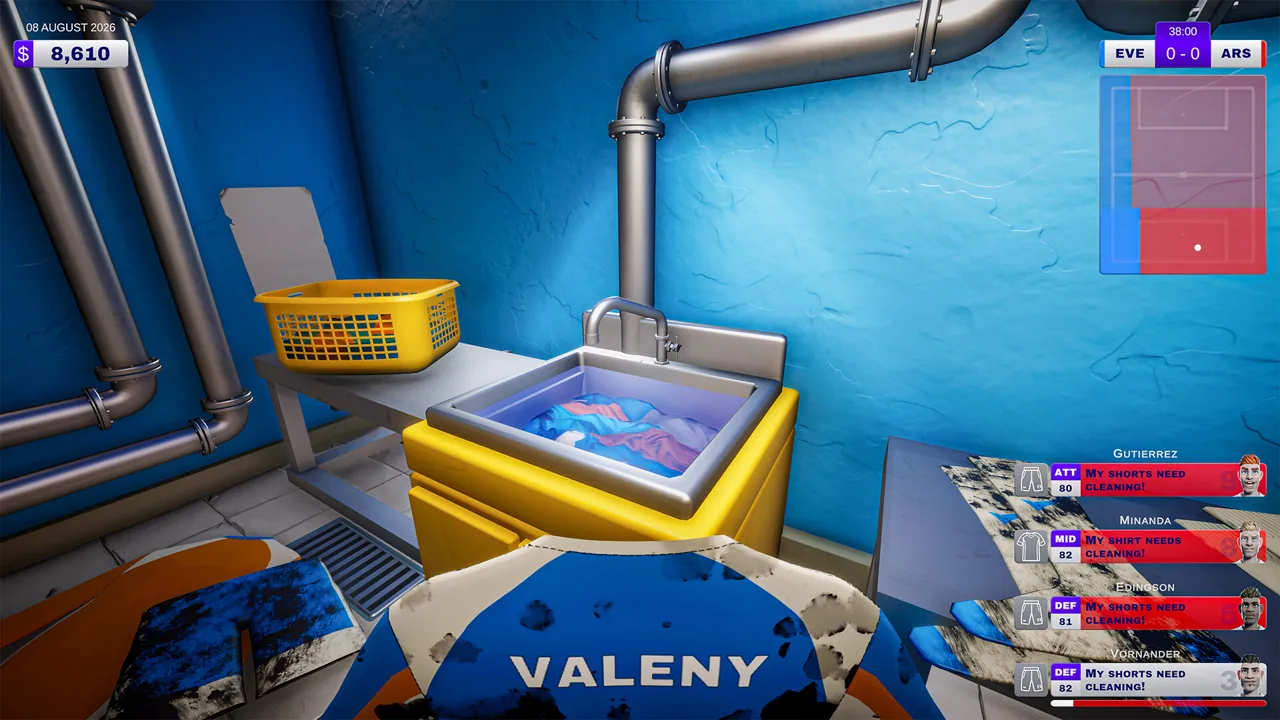 Image: Steam / Outlier
Every player needs a shirt, shorts, socks, and boots to play. Cover those essentials before distributing upgraded items. Giving one player excellent boots doesn’t solve another player’s missing jersey.
Higher-quality kit can provide rating bonuses. The demo includes upgraded items displaying a +5 bonus, while socks in the shop include an option displaying +2 overall. Read each item’s displayed value rather than assuming all clothing offers the same improvement.
| Equipment Factor | Effect on Readiness | Your Task |
|---|---|---|
| Missing required kit | Prevents a player from playing | Supply shirts, shorts, socks, and boots |
| Higher-quality gear | Contributes to the player’s overall rating | Assign upgraded items |
| Dirt | Reduces equipment effectiveness | Clean the affected item |
| Wear | Can lower the benefit of the kit | Repair or replace worn equipment |
| Boot studs | Can require attention during preparation or matches | Attach replacement studs when needed |
Compare Team Strength Before Spending
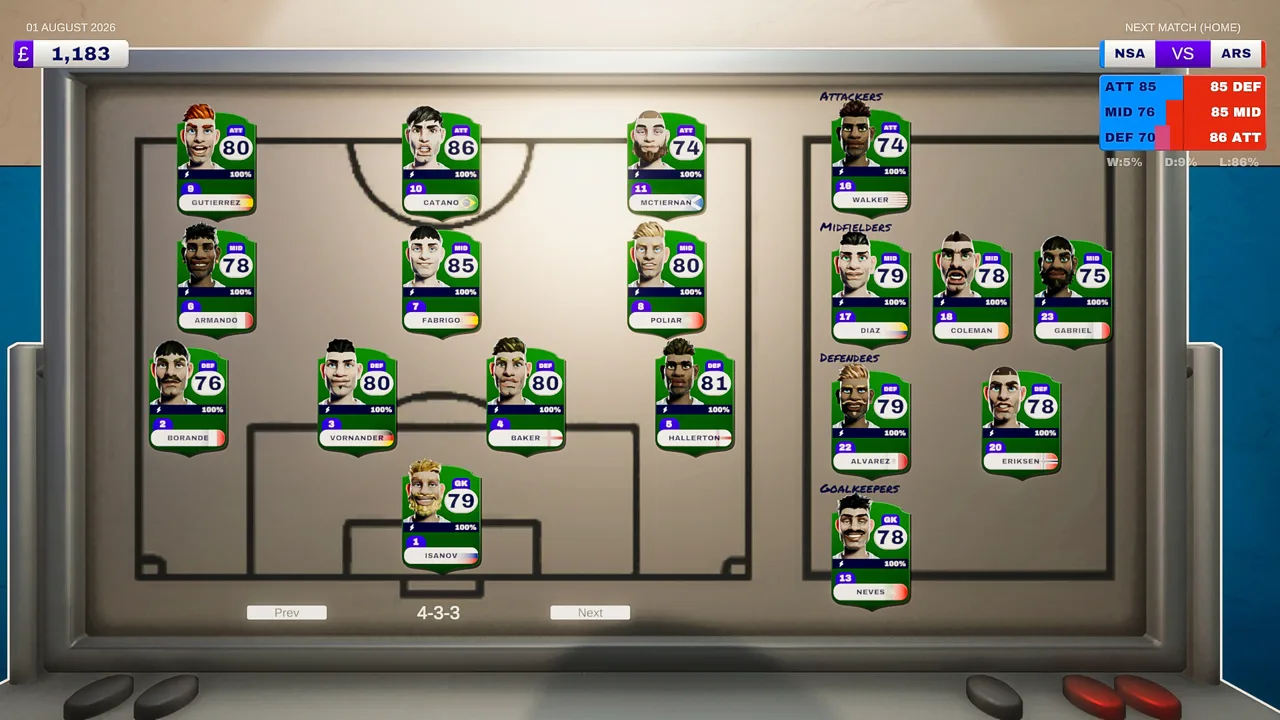
The pre-match panel separates your squad’s strength into attack, midfield, and defense. It also displays the probability of winning, drawing, or losing before kickoff.
Check those segments before assigning limited upgrades. Put available improvements into the area you want to strengthen, then review the panel again. In the demo, distributing better shirts to defenders raises the defense strength.
Check stamina and morale alongside equipment. A player’s rating combines all four contributing factors, so a new jersey is only one part of preparation. Supply stamina support when needed and keep up with requests that affect morale.
Maintain Quality Between Matches
Dirty gear loses effectiveness, and cleaning can contribute to wear. That creates an ongoing cycle of washing, repairing, and replacing equipment.
Inspect an item’s dirt and condition before deciding what it needs. Clean boots by working over the dirty areas, sew torn shirts through the repair interaction, and replace equipment that has become worn out.
Reserve money for supplies as well as upgrades. Sewing thread, detergent, and spare studs support the same equipment you’re spending money to improve. Running short of maintenance materials creates another problem to solve during an already busy match.
Upgrade the Backrooms and Personalize Your Kitman
Your workplace develops alongside the squad. Kitman customization includes equipment upgrades that change how you handle routine jobs, plus character personalization and decorative mementos in the broader game.
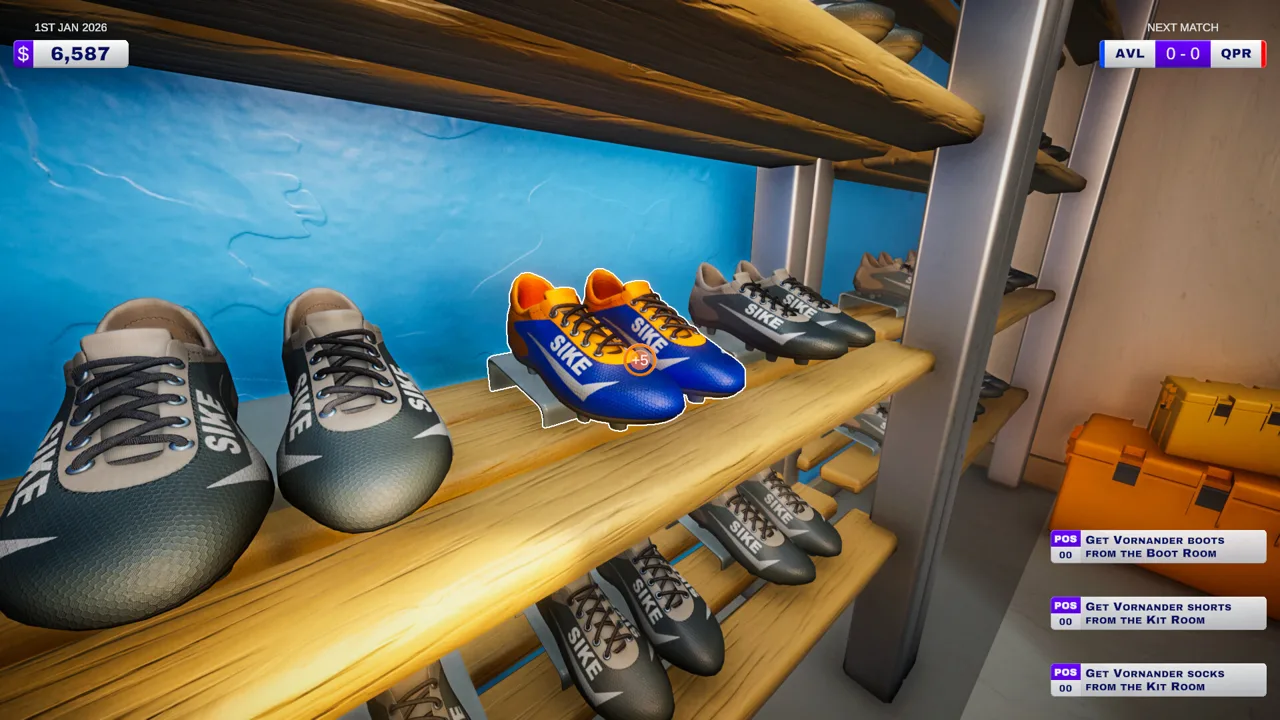 Image: Steam / Outlier
The demo’s unlockable facilities include washing machines, electric ball pumps, and vending machines. Match rewards also present choices involving tools and stamina support.
| Facility or Tool | Function |
|---|---|
| Washing machine | Handles laundry work |
| Electric ball pump | Inflates balls |
| Vending machine | Provides a way to purchase drinks |
| Water cooler | Dispenses water for stamina recovery |
| Boot stud drill | Provides a tool for boot stud work |
| Extra sink | Adds another sink to the workspace |
Choose upgrades around the jobs you’re struggling to complete. If ball inflation is taking up time while other requests wait, prioritize equipment that speeds up inflation. If players need stamina support, consider the drink facilities offered to you.
Match earnings depend on performance, and completing more requests improves your pay. That connects your ability to manage the backrooms with the money available for future purchases.
The kit-room shop sells replacement gear and consumables. Playing more matches unlocks better-quality kits, additional items, and brands, giving you more equipment choices as the season continues.
Make Room for Maintenance Spending
Before buying another upgraded shirt, check your detergent, thread, and studs. Replenish supplies needed for your existing equipment, then spend the remaining budget on improvements.
Keep the workspace tidy after matches. Bringing in a cleaner costs you money, and leaving a mess or failing to duck away before the players return can lead to a fine. Cleanup protects the earnings you need for future upgrades.
The full-game personalization features also include customizing your Kitman and decorating the backrooms with mementos of the club’s success. Those touches give the workplace a visual connection to the team’s journey from amateur competition toward the higher leagues.
Put Your Customized Club to Work on Match Day
Kitman customization pays off through preparation, maintenance, and the decisions you make while the match is underway. Equipment affects player ratings, and team strength influences how home matches progress against the opposition.
Before kickoff, work through the squad’s needs:
- Check that every player has all required clothing and boots.
- Clean dirty equipment and repair torn shirts.
- Assign available higher-quality kit.
- Address stamina needs.
- Replenish consumables used for laundry, sewing, and stud replacement.
During matches, requests arrive with different priorities. Red requests are urgent: missing their deadline can force a player off the field until the task is completed, reducing the relevant team strength. Late handling can also result in a time-wasting booking, and two yellow cards remove the player for the rest of the match.
Blue requests are optional. Completing them provides a temporary boost to attack, midfield, or defense, with no penalty for leaving them unfinished.
Handle urgent requests before optional boosts, and pay attention to players who already have a booking. Collect existing equipment from the point beside the pitch when required, complete the job, and return it to the drop-off point before the timer expires.
Adjust the Team Beyond Its Uniforms
Access to the manager’s office adds tactics and formation changes to your responsibilities. The demo also introduces substitutions, extending your influence beyond clothing and maintenance.
Review your equipment, stamina, and team setup together. Better kit contributes to a player’s rating, while formations and substitutions give you other ways to shape the squad.
For co-op sessions, divide the workload around the jobs arriving. Assign laundry, numbering, boot maintenance, and deliveries among your group so everyone knows what they’re handling. The game supports up to four players total, including in the demo.
You can explore these systems through the free Kitman demo on Steam. Start with your club identity, outfit the squad, and use the opening league matches to learn which backroom tasks demand your attention.
FAQ
What does Kitman customization include?
Kitman customization covers club identity, numbered uniforms, equipment choices, and backroom upgrades. The full-game features also include personalizing your Kitman and decorating the workplace with mementos of club success.
Can you customize your club in the Kitman demo?
Yes. The demo lets you customize your club, outfit the team, and upgrade equipment. It includes the story introduction, the opening league matches, unlockable facilities, and access to tactics and formation changes through the manager’s office.
Does better equipment affect player ratings?
Yes. Assigned kit contributes to overall rating alongside raw skill, stamina, and morale. Higher-quality items can add bonuses, while dirt and worn equipment reduce effectiveness.
Can you play the demo with friends?
Yes. The demo supports solo play and online co-op with up to three friends, for four players total. You can share the backroom workload while preparing equipment and responding to match requests.
Join the community
Official channels for news, updates and player help: