Coming soon · Launch window Q1 2027; exact date not announced
UpdatedKitman Beginner Guide: Gear, Match Requests, and Tips
This Kitman beginner guide covers gear, urgent match requests, stamina, upgrades, and cleanup. Get your locker room ready and keep your team on the field.
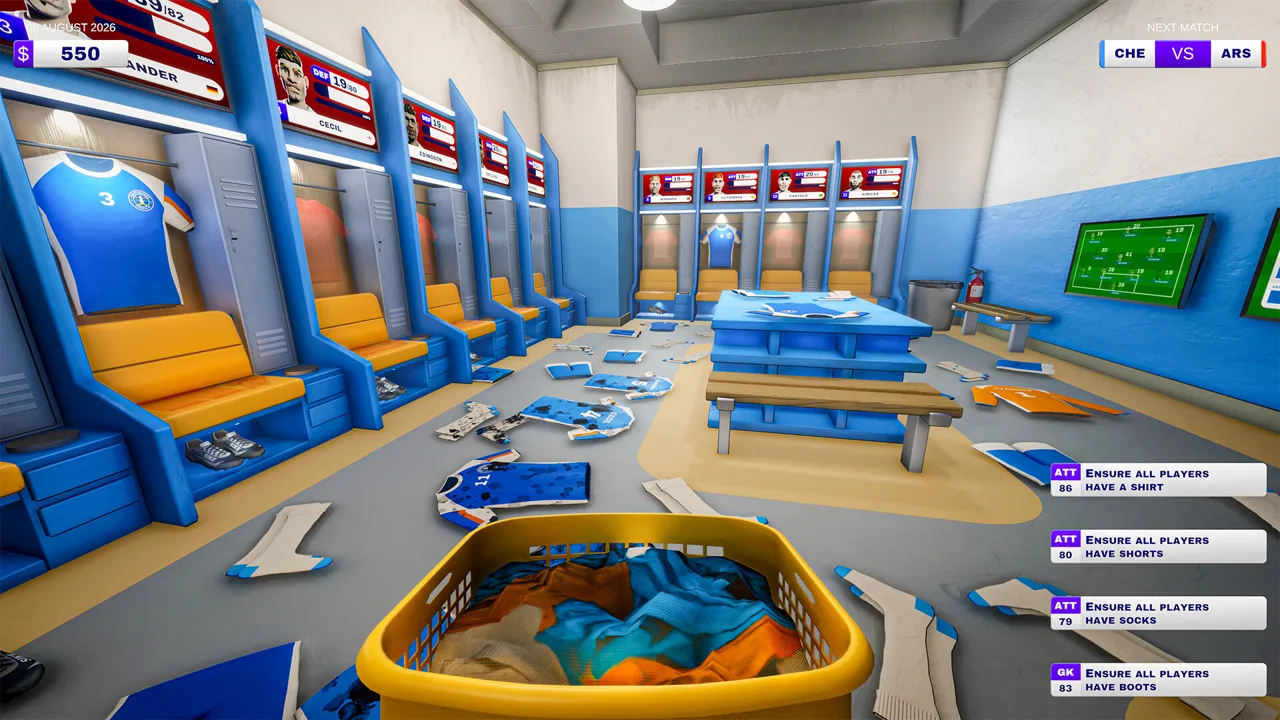
Get Your Locker Room Ready Before Kickoff
A missing pair of shorts can keep a player off the field, so this Kitman beginner guide starts with getting everyone dressed. Your equipment work affects player ratings, which feed into your team’s attack, midfield, and defense strength. Follow this Kitman beginner guide to prepare your squad, handle urgent requests, and protect your earnings after the whistle.
Kitman puts you in charge of a soccer club’s backrooms, with equipment maintenance and team management sharing the workload. The Windows demo includes the story introduction, the first few league matches, equipment upgrades, and access to the manager’s office. The full game is scheduled for Q1 2027.
Choose Standard mode when starting the demo. It combines tactical decisions with frequent real-time match management and is the recommended option for new players.
Before advancing the tutorial, learn where each job happens:
| Location | What you handle there |
|---|---|
| Kit room | Collect equipment, personalize shirts and training bibs, and use the shop |
| Locker room | Assign gear and provide items to individual players |
| Boot room | Clean boots and attach studs |
| Laundry room | Wash clothing and repair torn shirts |
| Pitch tunnel | Collect equipment requests and return completed items |
| Janitor’s closet | Use the bed when instructed to advance toward kickoff and retreat after cleanup |
Read the player names and numbers around the lockers before moving equipment. During the tutorial, confusing one player’s boots with another pair wastes a trip even if you complete the cleaning correctly.
Follow each objective through to its final placement. Collecting shorts is only part of the job; assigning them to the specified locker completes it. The same principle applies to cleaned boots, numbered shirts, and replacement socks.
The opening lesson of this Kitman beginner guide is simple: finish one complete equipment assignment before grabbing the next item.
Equip Players and Identify the Actual Problem
Every player needs a shirt, shorts, socks, and boots to play. Complete those basic sets before spending time on upgrades.
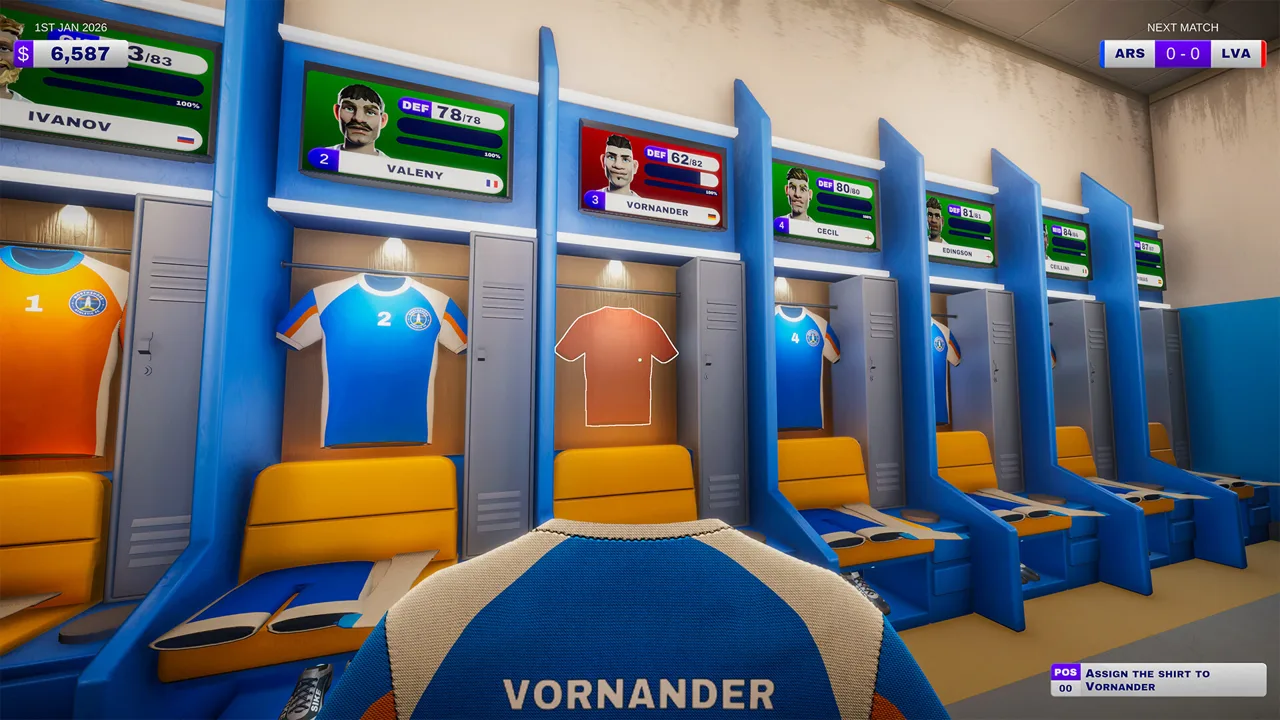 Image: Steam / Outlier
A player’s overall rating depends on four factors: raw skill, equipment, stamina, and morale. Individual traits also matter, including preferences about gear and food. Check the player’s information instead of assuming every rating drop comes from dirty clothing.
Number shirts before assigning them
The demo introduces shirt customization through the heat press in the kit room. Place a blank shirt on the press, add the required number, and complete the pressing interaction before hanging it at the player’s locker.
Numbered training bibs also use the heat press. Read the request carefully: a player asking for a numbered bib needs that item, rather than a regular jersey with the correct number.
Keep this Kitman beginner guide’s equipment checks in mind whenever a task seems stuck:
| Equipment problem | Required action |
|---|---|
| Missing basic clothing | Collect the correct item and assign it to the player |
| Dirty boots | Clean the muddy areas in the boot room |
| Missing boot studs | Attach studs to the boots |
| Dirty clothing | Wash it in the laundry room |
| Torn shirt | Complete the sewing repair interaction |
| Shirt-number request | Handle the number at the heat press |
| Missing numbered training bib | Prepare a bib with the requested number |
Separate dirt from damage
Dirt lowers equipment effectiveness, and its level appears in red on the equipment radial display. Cleaning removes dirt but can also degrade the item. A clean piece of worn-out gear can still hurt a player’s rating.
Inspect the condition before choosing a task. Washing a torn shirt does not complete its sewing repair, and polishing boots does not replace missing studs.
For boot cleaning, work directly over the dirty patches. For stud attachment, rotate the boot to reach the relevant area; the demo’s keyboard controls use A and D for rotation.
Replace worn equipment when maintenance no longer leaves it useful. Check the new item’s bonus before assigning it, then verify that the player actually received the replacement. Picking up the wrong pair of shorts can leave you doing the whole swap without gaining the upgrade you intended.
Read Team Strength Before You Spend
The pre-match panel compares your attack, midfield, and defense with the opposition. For a home match, your team appears on the left.
 Image: www.outlier.games
The number and solid bar show current strength. The semitransparent bar shows the maximum strength available with your existing lineup. Missing equipment, low stamina, and poor morale can leave a gap between those values.
Use that gap to guide preparation:
- Complete every player’s required equipment set.
- Clean or repair items that are dragging ratings down.
- Provide stamina recovery to tired players.
- Inspect traits and morale when equipment looks fine.
- Recheck the three team segments before kickoff.
This part of the Kitman beginner guide helps you distinguish preparation problems from opportunities to improve your gear. If your defense is below its existing potential, fix the players’ immediate needs before buying replacements.
Once basic readiness is handled, direct upgrades toward the segment you want to strengthen. In the demo, some higher-quality items provide a +5 equipment bonus. Check the item’s displayed value rather than assuming every new piece offers the same improvement.
For example, assign an upgraded shirt to a defender when you want to raise defensive strength, then check the panel again. Treat that as a targeted purchase rather than spreading equipment around without checking its effect.
The panel also displays win, draw, and loss probabilities before kickoff. Use them to assess the matchup, then keep supporting the team during play; preparation does not remove the need to fulfill requests.
Handle Match Requests Without Losing Track
Home matches run in real time. Your current attack, midfield, and defense strength influence the ball’s progress against the opposition, while equipment requests pull you between workstations.
 Image: YouTube / IGN
The essential match-day distinction in this Kitman beginner guide is the difference between red and blue requests:
| Request color | What it means | Result if missed |
|---|---|---|
| Red | Urgent equipment problem | The player leaves the field, reducing the relevant team strength until the job is completed |
| Blue | Optional support request | No penalty for missing it; completing it gives a temporary team-strength boost |
Overdue red requests can also lead to a yellow card for time wasting. Two yellow cards send the player off for the rest of the match. Watch requests from already-booked players closely.
Follow the complete request loop
For a request involving existing equipment:
- Read the player, item, required task, and timer.
- Collect the item at the collection point beside the pitch.
- Take it to the appropriate workstation.
- Complete the cleaning, repair, numbering, or stud work.
- Return it to the pitch-side drop-off point.
For a replacement request, collect fresh equipment instead and prepare it as required.
The collection point and drop-off point serve different purposes. Bringing clean shorts back toward the tunnel is not enough; place them at the return point to finish the delivery.
Prioritize red requests, particularly those close to expiring or belonging to booked players. Complete blue requests when the urgent workload allows it.
Read the task again before starting work. A request for studs can send you into the boot room with perfectly clean boots. Cleaning them adds effort without fixing the problem.
If several requests arrive together, finish the item already underway when its deadline demands it, then reassess the queue. Avoid repeatedly changing jobs while unfinished gear accumulates around the rooms.
Completed requests also affect morale and contribute to better pay. Keeping the team supplied supports both the current match and your next round of purchases.
Spend on Supplies and Remove Your Bottlenecks
After a match, you earn spending money based on performance, with more completed requests contributing to better pay. The kit-room shop sells replacement gear and maintenance supplies, while playing more matches unlocks additional items, brands, and equipment quality.
Keep part of your budget available for detergent, sewing thread, and boot studs. Expensive shirts cannot carry your maintenance work when the required consumables run out.
The spending lesson in this Kitman beginner guide is to fund the jobs you need to complete, then improve the jobs that slow you down.
| Upgrade or supply | Function or availability |
|---|---|
| Detergent | Replenishes cleaning supplies for the sink or washing machine |
| Sewing thread | Supports shirt repairs |
| Boot studs | Replaces missing studs |
| Boot stud drill | Available as a post-match reward |
| Extra sink | Adds another washing station |
| Ball-inflation upgrade | Increases ball-inflation speed |
| Water cooler | Dispenses water for stamina recovery |
| Vending machine drinks | Provides a way to purchase stamina-boosting energy drinks |
Choose rewards around your workload. Inspect the boot stud drill reward before choosing your upgrade. Add washing capacity when laundry keeps piling up. Choose stamina facilities when tired players regularly need attention.
Keep spare training bibs available as numbered-bib requests appear. The heat press still needs your attention, so remember to leave time for personalization during a match.
Once the manager’s office becomes accessible, you can change formations, assign tactics, and make substitutions. The broader game also includes scouting new talent. Handle equipment readiness before spending all your attention on strategy; players still need their kit to contribute.
After the final whistle, clean up and retreat to the janitor’s closet before the players return. Cleaner costs and manager fines can reduce the money available for upgrades. Put rubbish in the appropriate bins instead of leaving discarded packaging and equipment scattered around.
Share the Work in Online Co-op
Kitman supports solo play and online co-op for up to four players, including in the demo. With friends, divide the equipment work so multiple people do not chase the same request.
Use the same priorities from this Kitman beginner guide across the group: urgent requests first, correct equipment second, and completed deliveries before starting another job.
Split responsibilities by task or room. Assign someone to laundry, someone to boots, and someone to the heat press, then leave another player to monitor requests and move equipment. With fewer teammates, combine those duties.
Call out the player number, item, and task when taking a request. “Number five’s bib” gives teammates a clearer assignment than “I’m getting clothes.”
Keep the whole delivery loop accounted for. If one teammate repairs a shirt and another handles returns, communicate when it is ready. Otherwise, finished equipment can sit at a workstation while its deadline runs out.
Solo players need the same organization. Follow the room signs, verify the request before working, and return each completed item promptly.
FAQ
What should I prioritize in a Kitman beginner guide?
Start with complete equipment sets, then address dirt, damage, stamina, and morale. During matches, prioritize red requests and watch already-booked players closely.
Can I play the Kitman demo with friends?
Yes. The demo supports solo play or online co-op with up to three friends, for four players total.
What happens when I miss a red request?
The affected player leaves the field, lowering your attack, midfield, or defense strength until you complete the job. An overdue request can also cause a time-wasting yellow card.
Is Kitman available as a full game?
The full Windows game is scheduled for Q1 2027. The free demo released on October 8, 2026, and covers the introduction and early league matches. Visit the Kitman Steam page to try the demo or wishlist the full game.
Continue with
 Kitman How to Play: Beginner Guide to Match Day WinsLearn Kitman how to play with practical tips for preparing gear, handling urgent requests, boosting player fitness, and keeping the club ready for kickoff.
More in Guides
See all Guides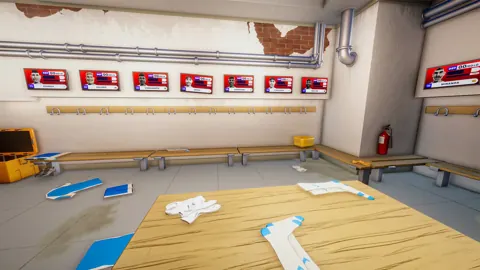
Join the community
Official channels for news, updates and player help: