Coming soon · Launch window Q1 2027; exact date not announced
UpdatedKitman Match Day Guide: Prep, Requests, and Upgrades
Use this Kitman match day guide to prepare your squad, handle urgent requests, improve gear, and keep the locker room ready for kickoff. Get started now.
Jump to
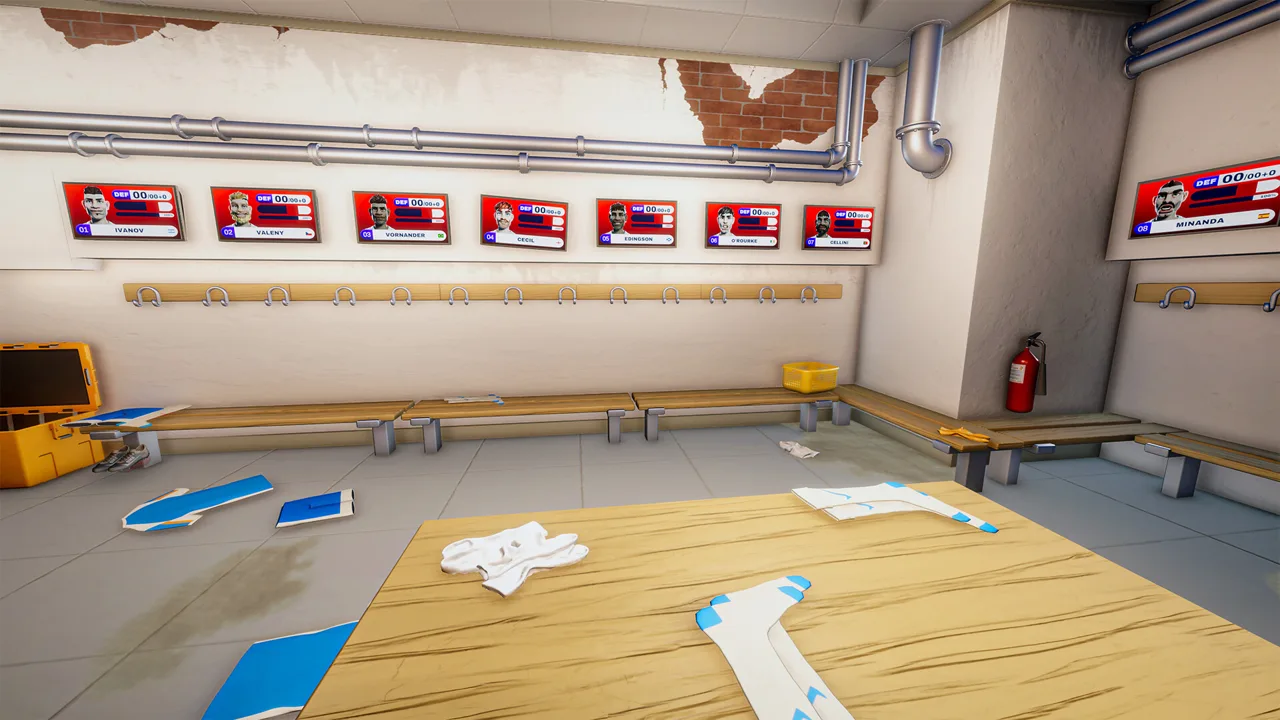
Prepare the Locker Room Before Kickoff
A missing pair of shorts can leave your team shorthanded before anyone touches the ball. This Kitman match day guide walks you through the preparation and repairs that protect your squad’s performance. The central lesson of this Kitman match day guide is simple: get everyone ready before kickoff, then keep urgent equipment problems from disrupting the match.
Kitman puts you in charge of a soccer club’s backrooms, with laundry, jersey repairs, boot maintenance, and player fitness competing for your attention. The Windows demo launched on October 8, 2026, and includes the story introduction and early league matches. The full game is scheduled for Q1 2027.
Start with Standard mode if you’re learning the routine. Its mix of tactical decisions and frequent real-time match management is recommended for new players.
Learn Where Each Job Happens
Before starting a match, locate your workstations and the pitch collection and drop-off points. Knowing where to carry an item saves valuable time when requests start arriving.
| Location | Tasks to learn |
|---|---|
| Kit room | Collect equipment, number clothing with the heat press, and use the shop once available |
| Locker room | Assign player equipment and provide stamina supplies |
| Boot room | Clean boots and attach studs |
| Laundry room | Clean clothing and repair torn jerseys |
| Pitch collection and drop-off points | Retrieve requested equipment and return completed items |
| Janitor’s closet | Use the bed when prompted to begin the next match and retreat after cleanup |
Players need a shirt, shorts, socks, and boots to play. Check every required item before spending time on upgrades. An expensive jersey doesn’t solve another player’s missing socks.
Read the player’s name and number at the locker before picking anything up. During preparation, equipment returns to that player’s locker; during a live request, completed equipment goes to the designated pitch drop-off point.
For numbered clothing, place the blank item on the heat press, add the required number, and complete the press interaction. Follow the displayed prompts rather than guessing which workstation action comes next.
Finish this opening stage of the Kitman match day guide with a full locker inspection. Replace missing gear, handle visible maintenance problems, and check stamina before using the bed to advance.
Understand Player Ratings and Team Strength
Every player’s overall rating depends on four factors: raw skill, equipment, stamina, and morale. That makes locker-room work part of your match strategy. Cleaning boots and supplying an exhausted player can help your existing lineup perform closer to its potential.
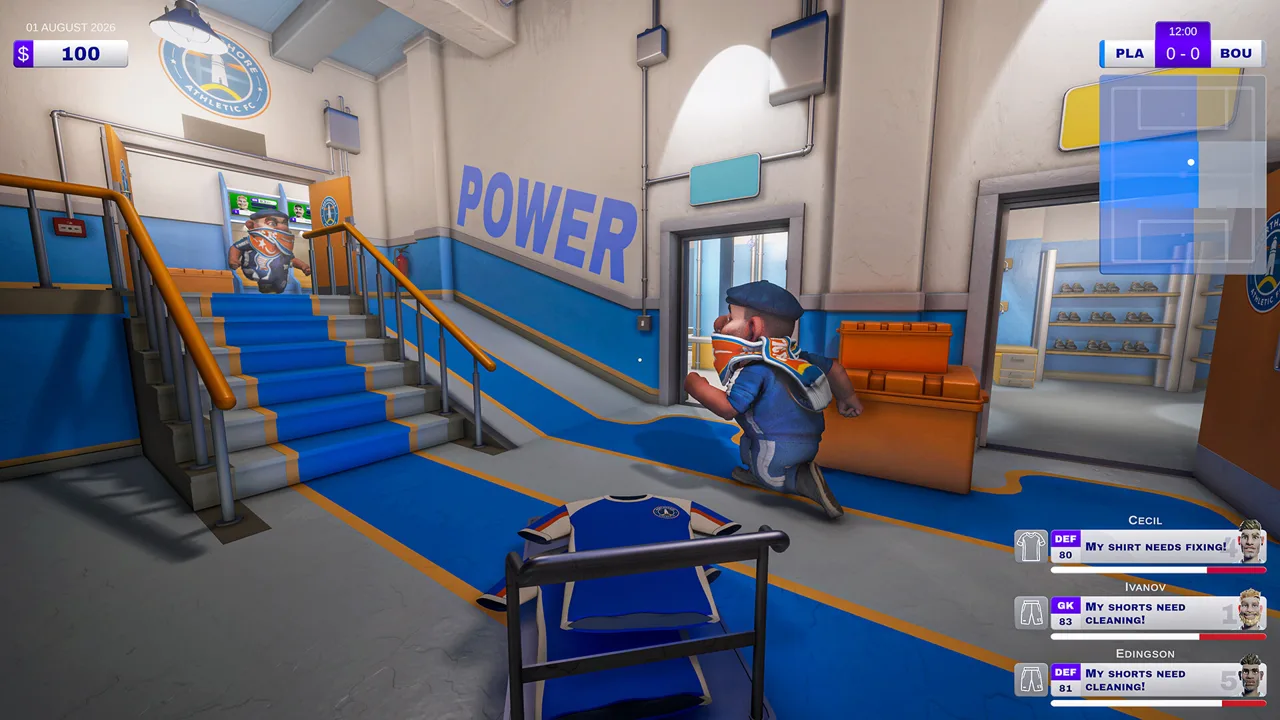 Image: Steam / Outlier
| Rating factor | What it represents | What to check |
|---|---|---|
| Raw skill | The player’s underlying ability | Consider it alongside the factors you can address through preparation |
| Equipment | The contribution of assigned gear | Check completeness, quality, dirt, and wear |
| Stamina | The player’s energy | Check tired players before kickoff |
| Morale | The player’s mood | Keep up with requests and watch individual preferences |
Some players have traits affecting their equipment or food preferences. Read those traits before assigning supplies. Don’t assume the same item suits everyone.
Read Current Strength Against Potential Strength
The match panel divides your team into attack, midfield, and defense. The number and solid bar show current strength; the translucent bar shows the lineup’s maximum strength. For home matches, your team appears on the left.
Use the difference between those bars to guide your preparation. Inspect players in an underperforming segment for missing gear, low stamina, and morale problems before buying replacements.
The panel also displays win, draw, and loss probabilities before kickoff. These are probabilities, so a favorable preview still requires attention during the match.
Make this part of your Kitman match day guide routine:
- Inspect required equipment across the lineup.
- Address stamina and maintenance problems.
- Compare attack, midfield, and defense.
- Assign available upgrades where they support the segment you want to improve.
For example, if defense is lagging and you have a higher-quality jersey available, equip a defender and check the resulting team strength. Use the displayed change to evaluate that assignment instead of relying on the item’s appearance.
Handle Urgent Requests During Live Matches
Home matches run in real time. Your attack, midfield, and defense strength relative to the opponent affects how the ball progresses up the field. Equipment problems therefore need attention while play continues.
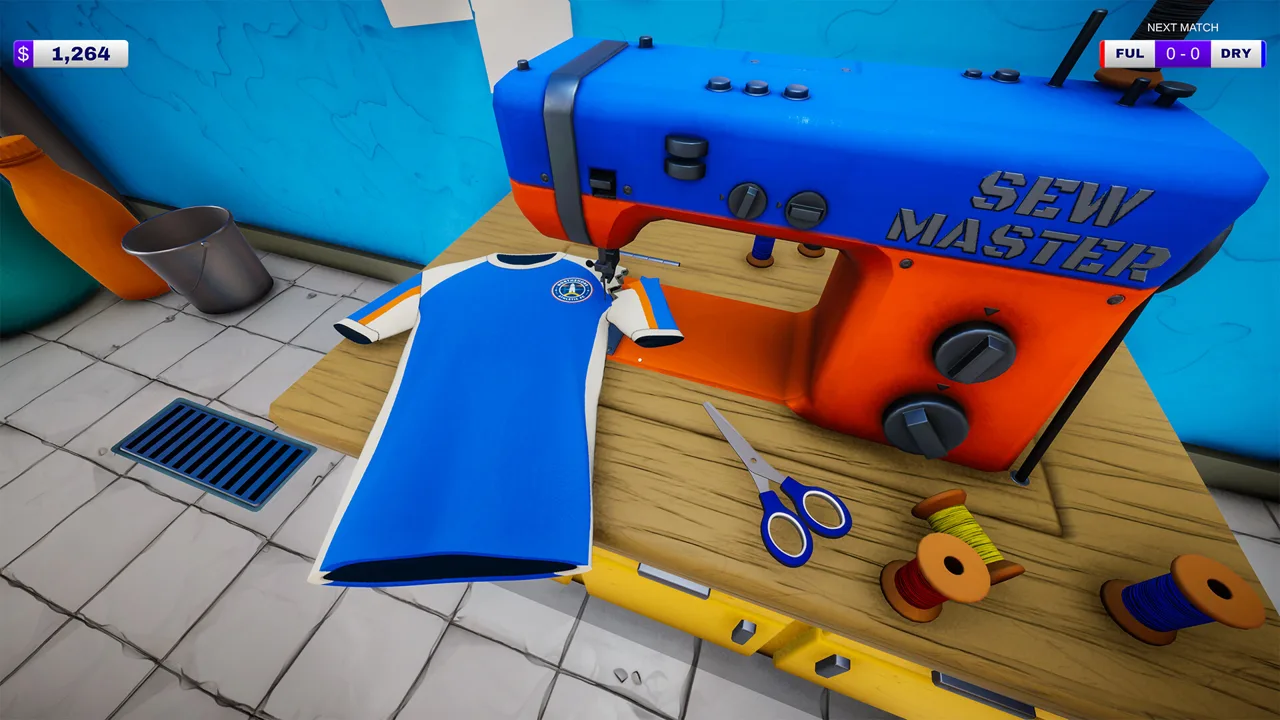 Image: Steam / Outlier
Red requests take priority over blue requests. Their consequences are different, and mixing them up can cost you an active player.
| Request color | Meaning | Completion benefit | Consequence of missing it |
|---|---|---|---|
| Red | Urgent equipment problem | Resolves the issue affecting the player | The player must leave the field until the job is completed; time-wasting bookings are also possible |
| Blue | Optional request | Temporarily boosts attack, midfield, or defense | No penalty for leaving it unfinished |
Missing an urgent deadline can lead to a yellow card for time wasting. Two yellow cards send the player off for the rest of the match.
Check already-booked players when deciding between urgent jobs. A temporary absence can be resolved by completing the request, but a sending-off lasts for the remainder of the game.
Complete the Entire Delivery Loop
For each request, read the requested action and identify the player before collecting equipment. Then follow the full sequence:
- Collect the existing item from the pitch collection point, or grab fresh equipment if requested.
- Take it to the appropriate workstation.
- Complete the cleaning, repair, numbering, or stud attachment.
- Return the finished item to the pitch drop-off point.
Repairing an item is only part of the job. Include the return trip when judging how much time you have.
A request for a numbered training bib, for example, requires a fresh bib, the correct heat-pressed number, and delivery. A boot request requires closer reading: dirt and missing studs call for different actions.
Match the Repair to the Problem
When cleaning boots, work over the dirty areas. When attaching studs, rotate the boot as needed to reach the attachment points. Read the on-screen controls before spending the request timer fighting the angle.
For torn jerseys, use the sewing interaction. For a damaged shirt number, use the heat press. Inspect the item and follow the request text so you don’t carry out an unrelated repair.
Keep blue requests for moments when urgent work is under control. Their temporary boosts are useful, but protect active players before chasing extra team strength.
The live-match priority in this Kitman match day guide is straightforward: identify the job, protect players at risk, finish the workstation task, and deliver the equipment.
Maintain Gear and Spend With a Purpose
Equipment can get dirty during matches, reducing its effectiveness. The equipment radial displays dirt in red. Cleaning removes that dirt, but it can also degrade the item, so maintenance requires checking both cleanliness and wear.
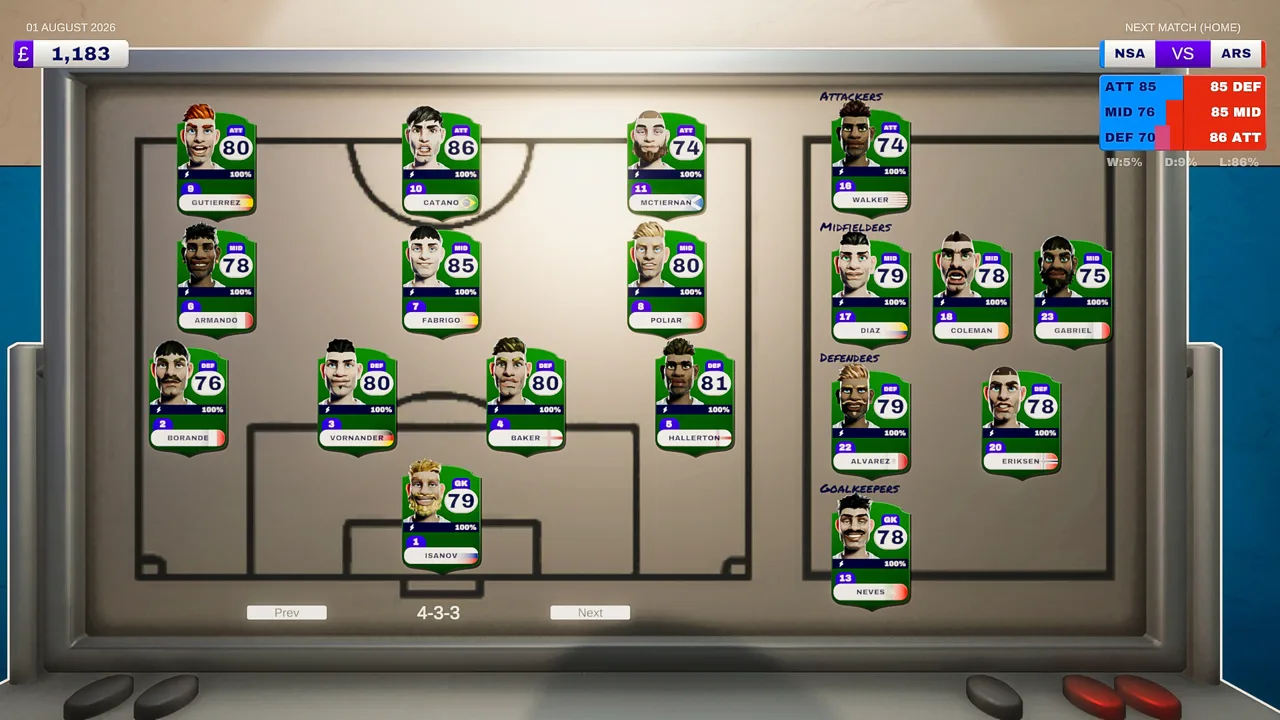 Image: Steam / Outlier
A clean, worn-out shirt can still hurt a player’s rating. Inspect equipment condition alongside its appearance, and replace degraded gear when your resources allow.
The kit-room shop lets you purchase equipment and maintenance supplies. More matches unlock better-quality kits, additional items, and brands. Keep money available for detergent, sewing thread, and spare studs so purchased gear doesn’t consume your entire maintenance budget.
Check Bonuses Before Assigning Upgrades
The demo includes higher-quality equipment with displayed rating bonuses, including a +5 bonus on some gear. Check the actual item before assigning it, especially when standard and upgraded versions sit near each other.
Match the clothing number to the intended player, place the item at the correct locker, and inspect the resulting rating. That final check helps catch a mistaken pickup before kickoff.
Use this spending section of the Kitman match day guide to keep purchases tied to visible needs. Buy missing essentials, replenish maintenance supplies, and then improve equipment for the lineup you’re preparing.
Choose Equipment That Addresses Your Workload
Match rewards and facility unlocks expand what you can do in the backrooms.
| Equipment or facility | Function |
|---|---|
| Boot stud drill | Provides equipment for boot-stud work |
| Extra sink | Adds another sink |
| Electric ball pump | Speeds up ball inflation |
| Washing machine | Provides a machine for laundry tasks |
| Water cooler | Dispenses water for stamina recovery |
| Vending machine | Lets you purchase energy drinks for player stamina |
Choose among available rewards by considering the jobs that are slowing you down. If ball inflation repeatedly consumes your time, select the faster pump when offered. If stamina needs keep drawing your attention, consider the available drink facilities.
Keep spare training bibs available for numbered-bib requests. Buying upgraded jerseys won’t help when the immediate job requires a different item.
Finish the Match and Organize Your Next Shift
The final whistle doesn’t end your responsibilities. Clean up the backrooms and retreat to the janitor’s closet before the players return.
Leaving a mess can bring a cleaning charge out of your pocket, and failing to tidy up and disappear can result in a fine. Completing more requests improves your pay, so protect that income during the closing routine.
Put equipment away, clear discarded packaging, and deal with the floor mess before heading into the closet. Avoid leaving your cleanup until after you’ve started thinking about the next round of purchases.
Divide Jobs in Online Co-op
Kitman supports solo play and online co-op for up to four players, including in the demo. With friends available, divide the work by task:
- Assign someone to collect and return pitch equipment.
- Give another player laundry and sewing duties.
- Put another player on boots and studs.
- Have the remaining player handle numbered clothing and watch requests.
Adjust those assignments to the jobs arriving. When an urgent request appears, call out the player and task, then have one teammate claim it. This keeps everyone informed while leaving the other workers free to handle additional requests.
For solo play, build familiarity with the same collection, workstation, and delivery sequence. Read before picking up an item; correcting the wrong job uses time you need for the real one.
Use Tactical Access Alongside Equipment Care
The demo includes access to the manager’s office, where you can change tactics and formation. Its later tutorial also introduces substitutions.
Once those tools become available, inspect your lineup and tactical choices as part of preparation. Continue checking equipment and stamina afterward: tactical access adds decisions without removing the locker-room jobs.
End each cycle of this Kitman match day guide by inspecting supplies, maintaining the next lineup, and checking team strength. You can practice that routine in the free Kitman demo on Steam.
FAQ
What should I prioritize in a Kitman match day guide?
Before kickoff, make sure every player has a shirt, shorts, socks, and boots. During live matches, handle red requests before optional blue requests. After the final whistle, clean up and retreat to the janitor’s closet before the team returns.
What happens if I miss a red request?
The player must leave the field until you complete the job, reducing your team’s relevant strength. Missing an urgent deadline can also cause a time-wasting booking. Two yellow cards send the player off for the rest of the match.
Why is a player’s rating low when all their gear is equipped?
Equipment is only one rating factor. Raw skill, stamina, and morale also matter. Gear can lose effectiveness through dirt and wear, so inspect its condition as well as whether each required item is present.
Can I play Kitman with friends?
Yes. Kitman and its demo support online co-op for up to four players total. The demo includes the story introduction, early league matches, equipment upgrades, unlockable facilities, and access to tactics and formation changes.
Continue with
 Kitman Beginner Guide: Gear, Match Requests, and TipsThis Kitman beginner guide covers gear, urgent match requests, stamina, upgrades, and cleanup. Get your locker room ready and keep your team on the field.
More in Guides
See all Guides
Join the community
Official channels for news, updates and player help: