
Coming soon · Launch window Q1 2027; exact date not announced
UpdatedKitman Locker Room Guide: Gear, Requests, and Upgrades
Master the Kitman locker room with tips for gear prep, urgent requests, player stamina, and upgrades. Keep your squad ready from kickoff to final whistle.
Jump to
How the Locker Room Shapes Your Team
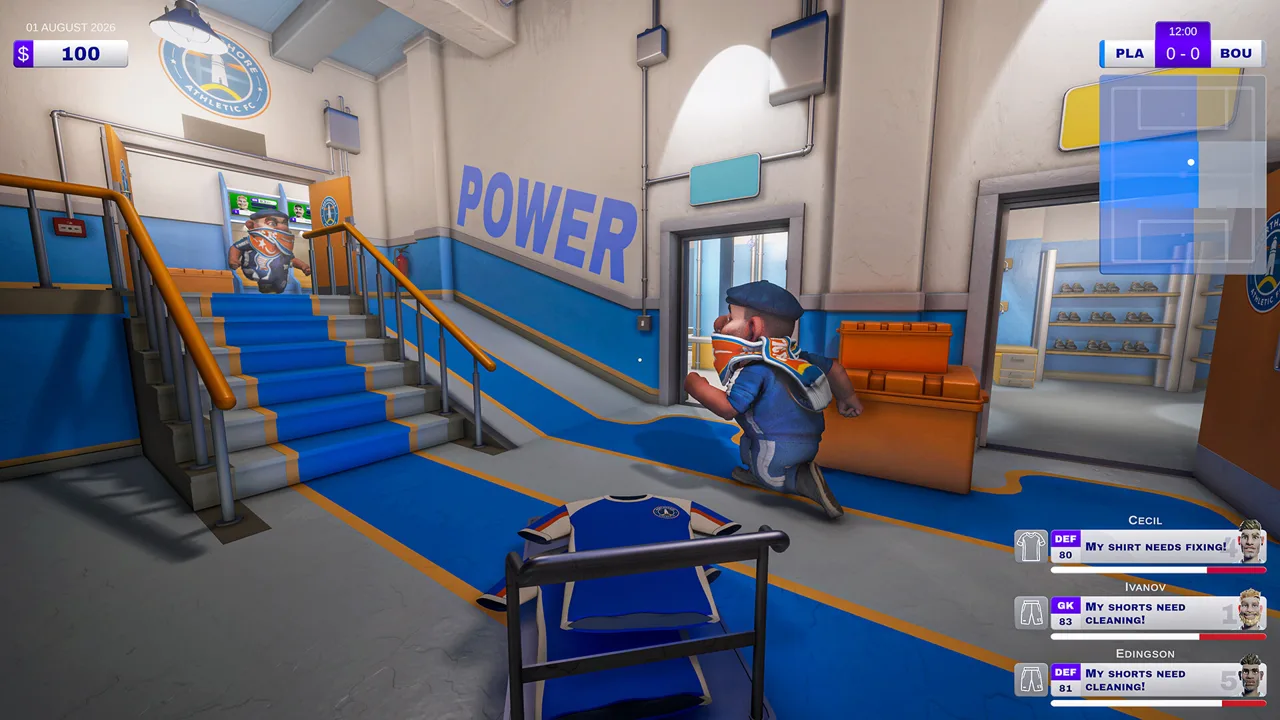
A missing pair of shorts can stop a player from taking the field, which makes the Kitman locker room your starting point for match preparation. Your work affects player ratings and your team’s attacking, midfield, and defensive strength. In the Steam demo, managing the Kitman locker room means preparing complete uniforms, maintaining equipment, and handling requests while the match keeps moving.
Kitman puts you in charge of the practical work behind a soccer club. You clean cleats, repair jerseys, prepare numbered gear, and keep players supplied with drinks. Those jobs connect directly to team performance, so a trip to the laundry room carries consequences beyond making everything look tidy.
Each player needs a shirt, shorts, socks, and boots to play. Their overall rating depends on four factors:
| Rating factor | What it represents | What to check |
|---|---|---|
| Raw skill | The player’s underlying ability | Consider it alongside their equipment and condition |
| Kit | The equipment assigned to the player | Check for missing items, dirt, wear, and quality |
| Stamina | The player’s energy | Supply stamina recovery items when needed |
| Morale | The player’s mood | Respond to requests and account for individual preferences |
Some squad members also have traits that affect their preferences, including what they wear or eat. Inspect players individually instead of assuming every locker needs the same treatment.
Before kickoff, the match panel compares your attack, midfield, and defense against the opposition. In the demo’s home matches, your team appears on the left. The solid bar shows current strength, while the translucent portion shows the maximum strength available with the existing lineup.
Use that gap to guide your preparation. Check incomplete uniforms, stamina, morale, and equipment condition before buying replacements. The displayed win, draw, and loss probabilities help you assess the matchup, but preparation still matters once requests start arriving.
Prepare the Kitman Locker Room Before Kickoff
Start your Kitman locker room routine with a complete equipment check. Find the player’s name and number, inspect their assigned items, and resolve missing gear before working on smaller rating improvements.
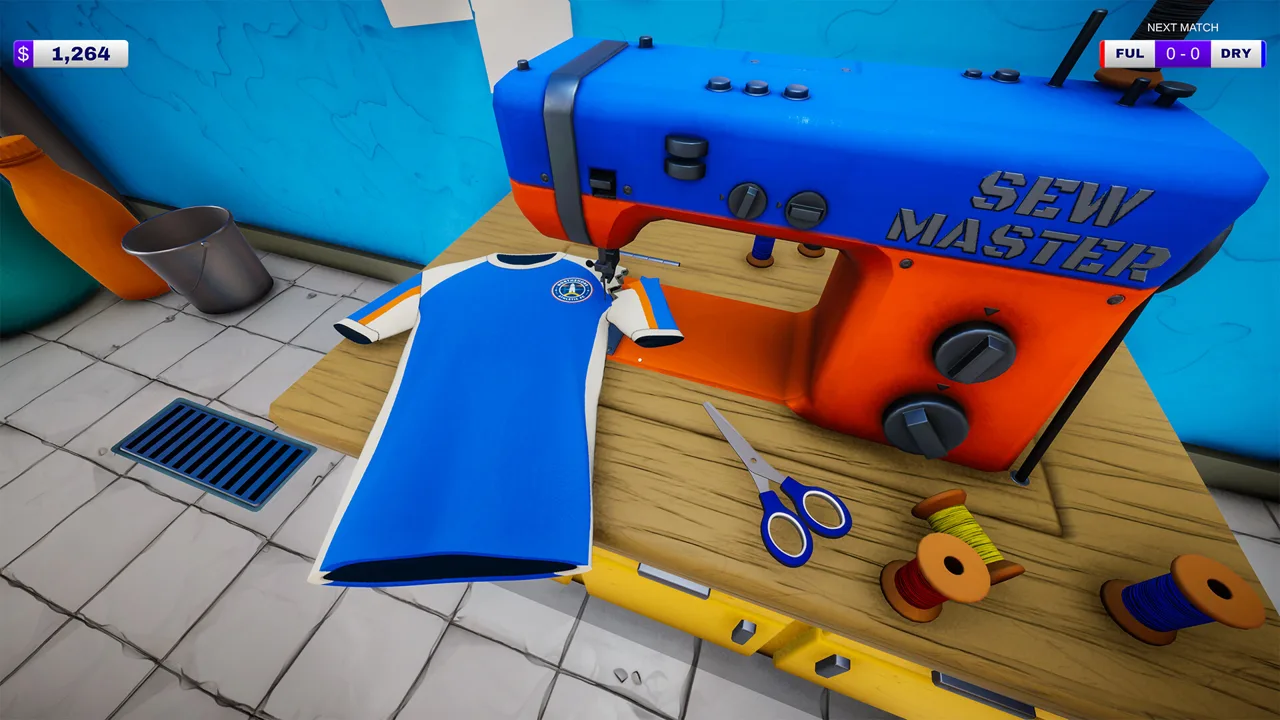 Image: Steam / Outlier
Pay attention to the equipment positions at each locker. You assign items to their designated spots; finding the correct room alone does not finish the task. Remove an old item when you need to place its replacement.
The backrooms split your workload across several stations:
| Area | Main tasks | Preparation tip |
|---|---|---|
| Kit room | Collect uniforms, number shirts and bibs, and use the shop | Check supplies before starting the match |
| Locker room | Assign equipment and provide drinks | Match each item to the intended player |
| Boot room | Clean boots and attach studs | Inspect both dirt and missing studs |
| Laundry room | Clean clothing and repair torn shirts | Identify the problem before choosing a task |
| Pitch collection and drop-off points | Receive equipment and return completed requests | Learn both locations before live requests begin |
Learn the routes between these rooms during the tutorial. Walking into the wrong room costs time once an urgent request has a deadline.
Number Shirts and Training Bibs Carefully
The demo introduces shirt numbering through the heat press. Place a blank shirt on the press, add the requested number, and activate the press. Return the finished shirt to the correct locker.
Numbered training bibs also appear in match requests. Read the requested number before pressing a spare bib, then deliver it to the pitch drop-off point.
Keep track of blank stock as well as finished gear. A supply of shirts does not solve a request for a training bib, and a bib with the wrong number still needs attention.
Separate Dirt From Damage
Dirty equipment loses effectiveness. Cleaning removes dirt, but cleaning can also contribute to equipment degradation. Worn-out gear therefore needs replacement rather than endless washing.
Use the dirt indicator on the equipment radial to check its condition. When cleaning boots, work over the muddy areas instead of holding the cleaning tool against an arbitrary spot.
Torn shirts require repair. Inspect the fabric and use the sewing interaction for the tear; washing addresses dirt. Missing boot studs require another separate task.
Before advancing through the bed in the janitor’s closet, complete this check:
- Assign a shirt, shorts, socks, and boots to every player.
- Finish required numbering and repairs.
- Restore stamina where needed.
- Check the team’s current strength against its available maximum.
- Make sure maintenance supplies are stocked.
Handle Match Requests Without Losing Players
During the demo’s real-time home matches, team strength influences the ball’s progress through the field. Meanwhile, players send equipment requests that pull you back into the rooms behind the stadium.
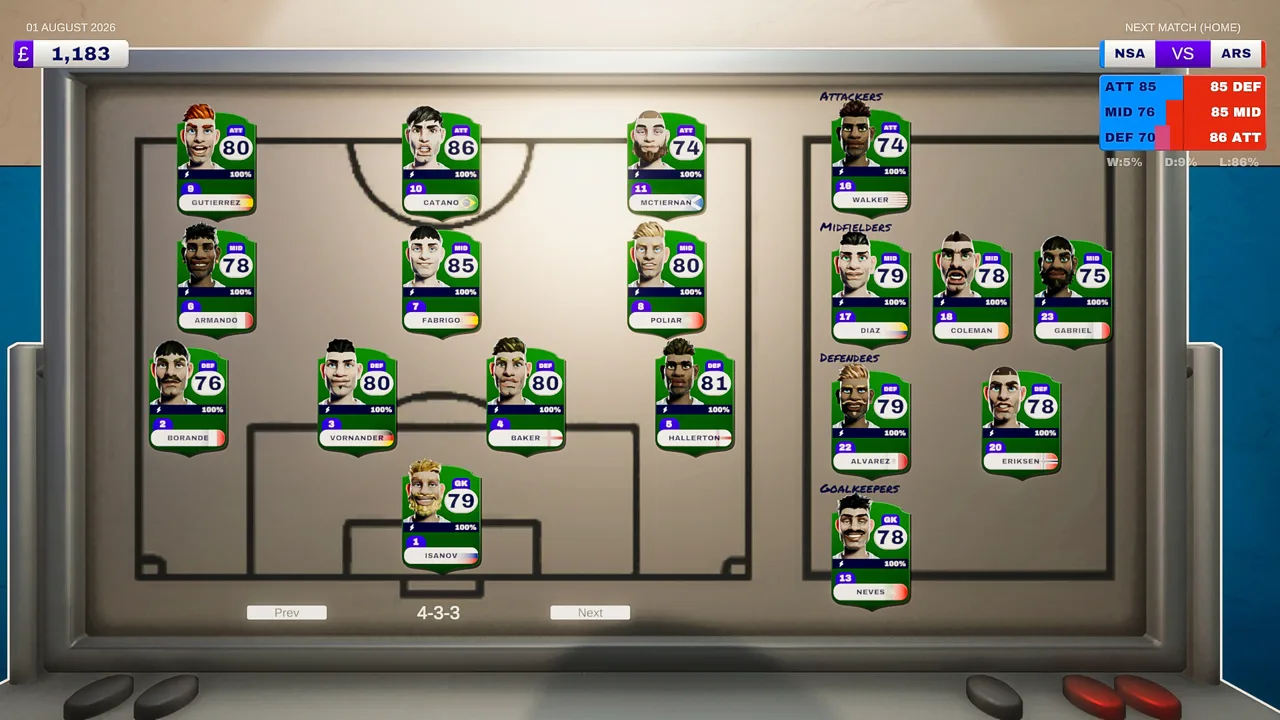 Image: Steam / Outlier
Your Kitman locker room preparation supports that workload, but live requests require quick decisions. Read the task, identify the player, and determine whether you need fresh equipment or the item waiting at the pitch collection point.
Request color tells you how much is at stake:
| Request color | Purpose | Consequence or benefit | How to prioritize it |
|---|---|---|---|
| Red | An urgent player need | An unresolved request can force the player off the field and reduce team strength | Handle it before optional work |
| Blue | An optional request | Completion temporarily boosts attack, midfield, or defense; missing it has no penalty | Complete it when urgent work allows |
A player forced off the field by an unresolved urgent request reduces the relevant team rating until you finish the job. Late red requests can also lead to a booking for time wasting. Two yellow cards send the player off for the rest of the match.
Pay particular attention to requests from players who already have a yellow card. Restoring their equipment after a missed deadline cannot undo a dismissal.
Finish the Entire Delivery
A match request includes the return trip. Cleaning shorts or fixing a jersey at the workstation does not complete the job by itself.
For a request involving existing equipment:
- Collect the item from the point beside the field.
- Take it to the appropriate workstation.
- Perform the requested cleaning, repair, or adjustment.
- Return the item to the pitch drop-off point before time expires.
For fresh equipment, collect the replacement from the kit room and complete any required numbering before delivery.
Read the request wording closely. A shirt-number problem calls for the heat press, while a torn shirt calls for sewing. Boots can need cleaning or replacement studs. Inspect the relevant item rather than repeating whichever task you performed last.
Requests also affect morale, and completing more requests improves your pay after the match. Keep optional jobs in view, but clear urgent equipment problems before chasing a temporary boost.
The Kitman locker room stays useful throughout the match: it holds the spare items that let you respond when a player suddenly needs something different.
Spend on Supplies and Equipment Upgrades
After matches, you earn spending money based on performance. That income supports both better player equipment and the supplies required to keep your workstations running.
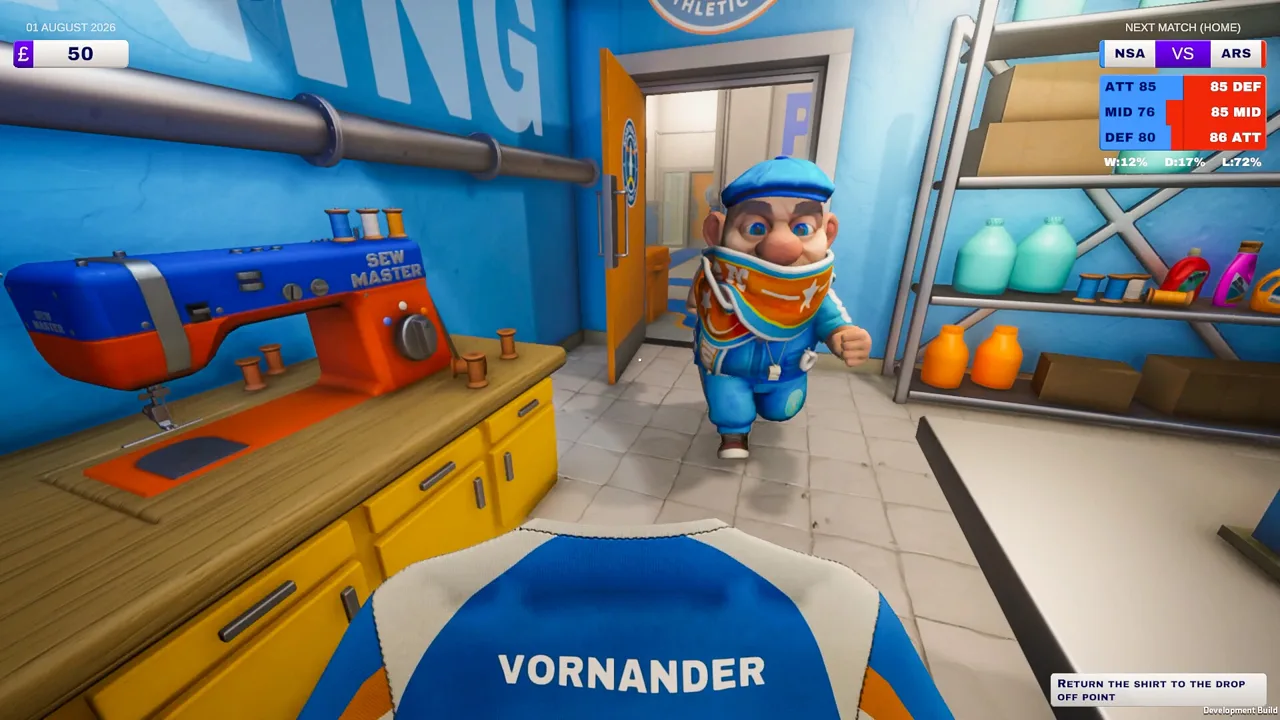 Image: Steam / Outlier
Use the shop computer in the kit room to purchase gear and maintenance items. Playing more matches unlocks better-quality kits, additional items, and brands.
Protect your maintenance budget before buying another upgraded jersey. Detergent, sewing thread, and spare studs all support tasks that can become urgent during play.
| Purchase or facility | What it supports | Spending tip |
|---|---|---|
| Washing detergent | Refilling a sink or washing machine | Check cleaning supplies before kickoff |
| Sewing thread | Shirt repairs | Keep repair supplies available |
| Boot studs | Replacing missing studs | Restock alongside other maintenance items |
| Higher-quality kit | Improving equipment contributions to player ratings | Direct upgrades toward the team segment you want to strengthen |
| Water cooler | Stamina recovery through water | Use it when players need energy restored |
| Advanced equipment | Tasks such as washing or ball inflation | Choose facilities that address recurring work |
Equipment quality creates another decision in Kitman locker room management: who gets the upgrade?
The demo includes pieces with a displayed +5 equipment bonus. Assigning upgraded gear to defenders can raise defensive strength, while improving equipment elsewhere supports the corresponding team segment.
Compare the item’s displayed benefit with the gear already assigned. Check the team panel after making the change, then decide where the next purchase should go. Avoid using your entire budget on one part of the lineup while another still has missing or worn equipment.
Match rewards also introduce tools and facilities, including a boot stud drill and a water cooler. The demo includes unlockable washing machines, electric ball pumps, and vending machines.
Choose rewards around the jobs taking up your attention. If stud replacement repeatedly delays your deliveries, consider the drill when it appears as a reward option. If players need stamina recovery, consider the water cooler.
Clean up after the final whistle, too. Leaving a mess can cost you money, and failing to retreat before the players return can bring a fine. Finish cleanup and head into the janitor’s closet before moving on.
Share the Work and Expand Your Role
Kitman supports solo play and online co-op for up to four players. You can invite up to three friends, and the Steam demo supports that same group size.
For a co-op Kitman locker room session, divide tasks by workstation or request. Put one teammate on laundry and repairs, another on boots, and another on fresh kit preparation. Have someone track urgent requests and deliveries.
Those are workload choices, so adjust them to the requests arriving. Call out the player number, item, and task before carrying equipment away. That helps your group keep track of which jobs are already being handled.
Your responsibilities also grow beyond equipment maintenance. Access to the manager’s office lets you change tactics and formation in the demo. The broader game includes choosing the starting lineup and scouting talent as you guide the club upward from amateur soccer.
Keep player readiness in view when changing the lineup. Your available team strength still depends on the equipment, stamina, and morale of the players involved.
The free Windows demo launched on October 8, 2026. It includes the story introduction, early league matches, club customization, one environment, and unlockable facilities. The full game, developed by Outlier and published by Daedalic Entertainment, is scheduled for Q1 2027.
Visit the Kitman Steam page to wishlist the game and access its demo if you want to try running the club from behind the scenes.
FAQ
What does the Kitman locker room affect?
The Kitman locker room lets you assign essential equipment and support player readiness. Kit, stamina, and morale contribute to player ratings alongside raw skill, which influences your team’s attack, midfield, and defense.
What equipment does every player need?
Every player needs a shirt, shorts, socks, and boots to play. Check their locker for all four, then inspect numbering, cleanliness, condition, and any missing studs.
Should I complete red or blue requests first?
Prioritize red requests. Missing their deadlines can remove players from the field and lead to time-wasting bookings. Blue requests provide temporary team-strength boosts, with no penalty for leaving them unfinished.
Can I play the Kitman demo with friends?
Yes. The free Steam demo supports solo play or online co-op with up to three friends, for four players total. It includes early league matches and unlockable facilities within one environment.
Continue with
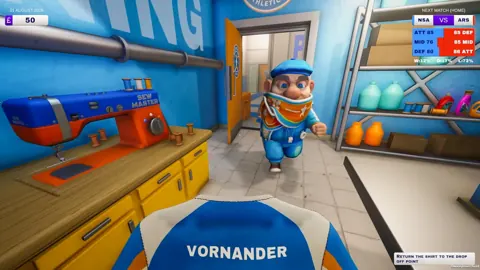 Kitman Boots Guide: Cleaning, Studs, and Team UpgradesKeep your Kitman boots clean, replace missing studs, and manage gear upgrades in the demo. Learn how to prepare the team and handle urgent match requests.
More in Club Management
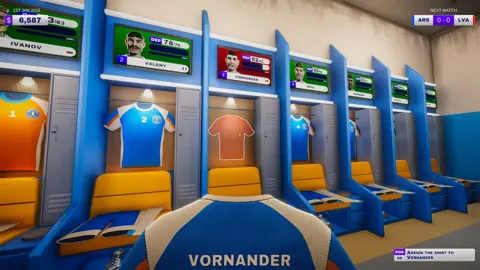
Kitman Football Club Management: Complete Demo Guide
Master Kitman football club management with tips for gear, player stamina, urgent requests, tactics, and upgrades. Get locker room ready for match day.
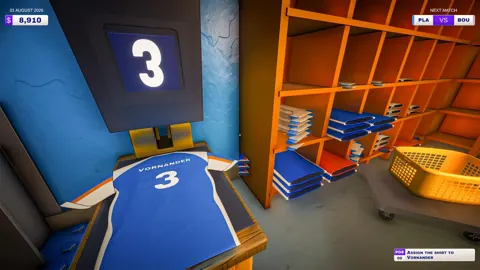
Kitman Formation Guide: Unlock Tactics and Build Wins
Master Kitman formation planning, unlock the manager's office, and improve your lineup with practical tips for team ratings, gear, stamina, and match day.
Join the community
Official channels for news, updates and player help: